

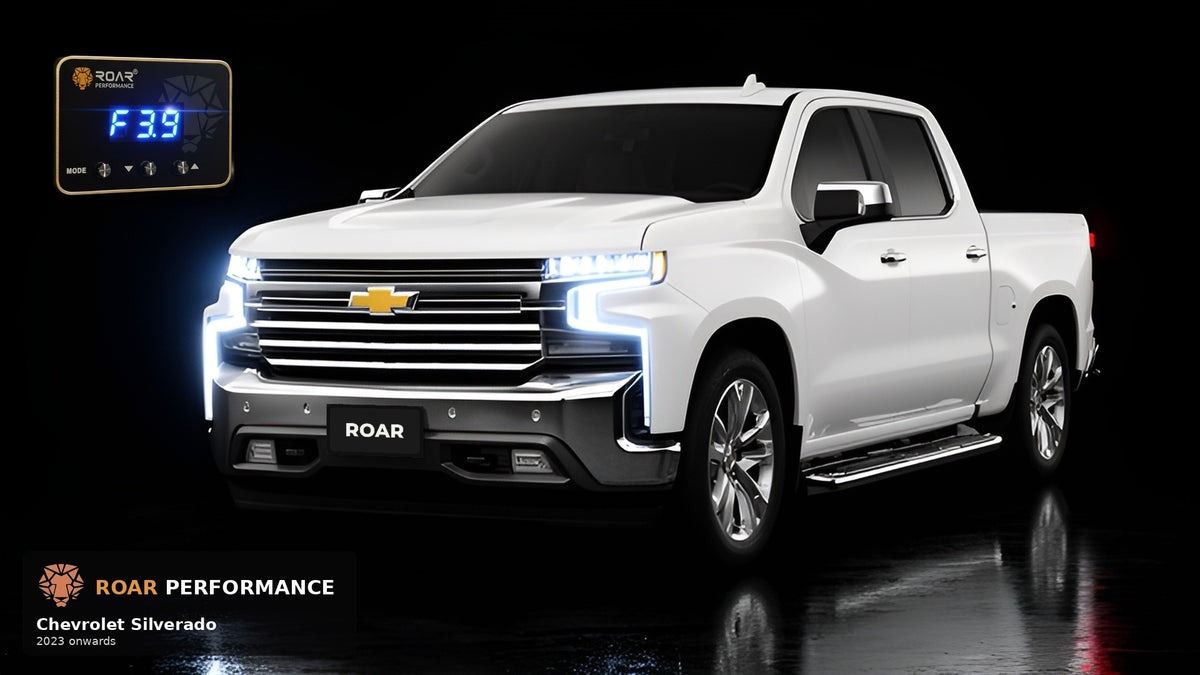


Chevrolet Silverado Throttle Controller (2023 onwards) | Roar 4X4
Roar 4X4
✓ Confirmed Compatible — Plug Type: 715Free shipping on throttle controllers.
- AI Learning
- 6 modes × 9 levels
- Plug & play
- Plug 715
Check your plug: fitment depends on the vehicle. Before ordering, check the plug on the back of your accelerator pedal (this kit uses plug 715). Not sure? Email admin@roar4x4.com a photo of your plug.
✓ Australian Owned & Operated
YES IT FITS — Chevrolet Silverado Throttle Controller (2023 onwards) | Roar 4X4· Plug 715
Features
- AI Learning
- 6 driving modes × 9 sensitivity levels
- Plug & play — no ECU flash
- Overtake / anti-theft modes
- Day/night auto-dim display
What’s in the box
- Throttle controller unit
- Vehicle loom(plug 715)
- Dash mount
- Instructions
Chevrolet Silverado throttle controller (2023 onwards)
The Chevrolet Silverado (2023 onwards) pairs with the Roar 4X4 Performance Throttle Controller, a plug-and-play unit that delivers a sharper accelerator response. Made for plug type 715, it suits touring and towing on-road and off-road, so the pedal responds more readily when you tour, tow or drive off the bitumen.
The Chevrolet Silverado (2023 onwards) pairs with the Roar 4X4 Performance Throttle Controller, a plug-and-play unit that delivers a sharper accelerator response. Made for plug type 715, it suits touring and towing on-road and off-road, so the pedal responds more readily when you tour, tow or drive off the bitumen.
Product Specifications
| Brand | Roar 4X4 |
| Suits | Chevrolet Silverado (2023 onwards) · redesigned front |
| Type | Performance Throttle Controller |
| Plug Type | 715 |
| Barcode | 9361171000550 |
| Installation | Plug & Play — No Wiring Required |
| Setup | A very simple plug-and-play process |
| Driving Modes | 6 Modes + 9 Sensitivity Levels |
Please check plug type according to your vehicle. 2023 onwards. SKU RPETCCPT715 · barcode 9361171000550.
Vehicle Compatibility — Does This Fit My Silverado?
| Make | Model | Year Range | Band | Plug Type | Compatible |
|---|---|---|---|---|---|
| Chevrolet | Silverado 1500 | 2023 onwards | Redesigned front | 715 | ✅ YES — IT FITS |
Always confirm your accelerator pedal plug matches type 715 before ordering. Free AU shipping on throttle controllers. Not listed? Contact our team or use our Vehicle Compatibility Finder.
Key Features
- ✅ Sharper Pedal Response: reduces the delay you feel when you press the pedal
- ✅ 6 Driving Modes — Economy, Off, Comfort, Sport, Race, and Auto
- ✅ 9 Sensitivity Levels — Fine-tune throttle response
- ✅ AI Learning Mode — Adapts to your driving style
- ✅ Anti-Theft Security Mode — Limits throttle input to help deter unauthorised use
- ✅ 100% Plug & Play — No cutting, no splicing. Plug Type 715 pre-matched for your Chevrolet Silverado
What's in the Box
- ✅ Roar 4X4 Performance Throttle Controller Unit — With LCD display
- ✅ Vehicle-Specific Wiring Harness — Plug Type 715 for Chevrolet Silverado
- ✅ Mounting Bracket & Adhesive Pad
- ✅ Fitting Instructions
Confirm your plug — please check your plug type as per the picture
Before you install, match the plug-face photo in the gallery to the connector on your accelerator pedal. Pin layout, housing shape, and lock colour must match. Then download the installation instructions for verification. If you are unsure, contact support with a clear photo of your plug before ordering.

- Please check plug type according to your vehicle.
- Please check your plug type as per the picture before install.
- Unplug the pedal connector and compare pin layout / housing / lock colour.
- Download installation instructions for verification: TC instruction manual (PDF).
- If it does not match, or you are unsure, contact support with a clear photo of your plug.
Fitting Instructions
🔧 Setup is a very simple plug-and-play process. No tools required.
- Locate Throttle Pedal: Find the electronic connector on your accelerator pedal.
- Plug In Controller: Disconnect the factory connector. Plug the Roar controller (Plug 715) between the pedal and factory harness.
- Mount & Drive: Secure the display on your dashboard. Start your vehicle and select your preferred driving mode.
Fully reversible — remove anytime to return to factory settings. Please check plug type according to your vehicle.
Shipping & Returns
📦 Shipping: Free shipping on throttle controllers within Australia. In-stock items typically dispatch within 2–5 business days. Allow 2–14 business days in transit depending on location. Australia only — we do not ship to P.O. boxes. Shipping for other products is calculated at checkout.
↩️ Returns: Change of mind: you can return this throttle controller within 30 days of delivery if it is in as-new condition (no scratches, grease or adhesive), complete and in its original packaging. You pay the return freight. If it arrives faulty, damaged or incorrect, email admin@roar4x4.com with your order number and photos, ideally within 30 days of delivery, and do not post it back until we reply. We test returned products: if it works correctly, or the problem came from fitting, setup or not following the instructions, we send it back to you and you pay the freight both ways. Your rights under the Australian Consumer Law still apply. Full details: Refund policy.
Fitting Instructions — Chevrolet Silverado Throttle Controller (2023 onwards) | Roar 4X4
Locate Throttle Pedal
Find the electronic connector on your accelerator pedal in the driver's footwell. It's the plug going into the top of the pedal.
Disconnect Factory Plug
Unplug the factory connector from the throttle pedal sensor. Press the release tab and pull gently.
Plug In Controller
Connect the Roar controller harness between the pedal sensor and the factory connector. It goes inline.
Route Display Cable
Route the display unit cable neatly along the centre console or dashboard to your preferred mounting location.
Mount Display Unit
Secure the display unit on your dashboard using the supplied adhesive mount. Choose a visible, accessible spot.
Start & Select Mode
Start your vehicle. The controller powers on automatically. Select your preferred driving mode and sensitivity level.
Setup is a very simple plug-and-play process · No tools required
Contact us with your vehicle details and we'll confirm compatibility.
 Chevrolet Silverado Throttle Controller...
$169.00